Microsoft Power Apps
Frequently Asked Questions
Frequently Asked Questions
PowerApps enables the creation of a wide range of app scenarios that drive the digital transformation of manual and outdated processes. Find the answers to all your key questions about PowerApps here.
PowerApps is a Microsoft solution for creating applications. These can range from simple mobile apps to more complex business applications. This article focuses on mobile apps (referred to by Microsoft as Canvas Apps).
PowerApps enables users to design custom applications for specific purposes and use them productively. Work is carried out in an environment familiar to Office users, which generally requires no programming knowledge. (Programmers can extend the functions and make better use of them.) Canvas Apps can access data already available within the company, thereby covering new use cases as well as adding a mobile component to existing systems. Companies without in-house programmers can, for example, create their own apps that grant employees and partners access to a portion of the company’s data.
With Microsoft PowerApps, you can create a mobile application that can access various data sources (not limited to Microsoft) and use it on any device – without writing a single line of code.
There are opportunities for optimisation in every business. Whether the apps are used on mobile devices or on a PC, and whether the aim is to optimise a process for an individual or an entire team, with PowerApps, Microsoft gives every employee the ability to optimise business processes and adapt them to requirements in an agile way, without having to go through IT.
Until now, app development has required both developers (for technical architecture planning and coding) and business users (for defining objectives). This means that constant communication between these two groups is necessary to ensure that all requirements are met. The result is delays and additional costs. PowerApps solves this problem. The simplicity of using PowerApps and its no-code design allow business users to act as developers themselves and customise the software to their requirements with minimal effort.
With PowerApps, apps can be created for mobile devices and tablets without any programming knowledge. The Microsoft Office 365 applications and the enterprise solution for Microsoft Dynamics 365 provide the core functionality for these apps.
Although programming skills are not required to create PowerApps, PowerApps benefit from professional expertise in app design. Furthermore, knowledge of Excel formulas and the dependencies between data fields in the apps is helpful for creating valuable business applications with PowerApps.
Apps created with PowerApps can be used on Android, iOS, and Windows devices. This flexibility ensures that companies are not limited to a specific platform for their apps.
Access to a Power App is granted to users who are authorized for that specific app. Users can be given either read-only access or full permissions. It is also possible to control who is allowed to modify a Power App and thereby extend its functionality.
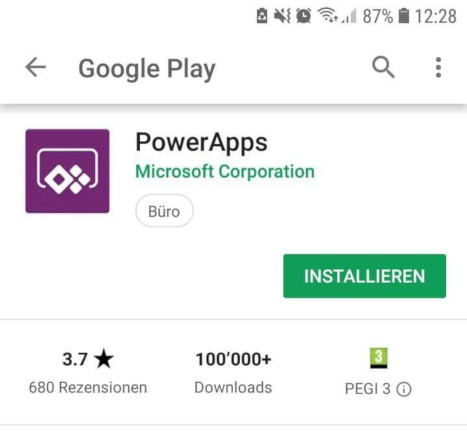
The PowerApps app can be found in the App Store, where users can log in with their company credentials to gain access to the available apps.
Im App Store „PowerApps“ downloaden:
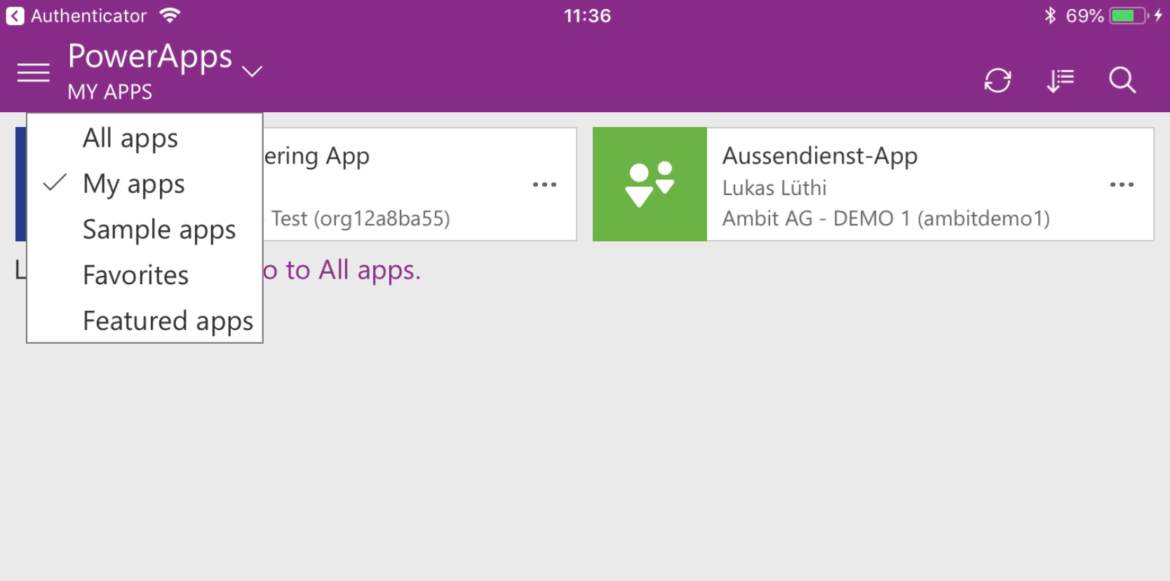
Verfügbare Apps innerhalb PowerApps:
A major advantage of PowerApps is that it enables efficient collaboration among all stakeholders, from business analysts to developers. Process-related issues can be solved using intuitive visual tools that require no coding. With PowerApps, you work on a platform that supports data integration and distribution, allowing for faster and more efficient workflows. You can easily create apps for any device and share them with your team members or even the entire organization.
PowerApps enables the creation of a wide range of app scenarios, helping to drive the digital transformation of manual and outdated processes.
PowerApps is a web service that can be conveniently used via a browser. In addition, you can find a corresponding desktop application called PowerApps Studio in the Microsoft Store.
PowerApps is based on Microsoft Office 365, Microsoft Flow, and the PowerApps application itself. If you already have an Office 365 license, you may already have access to PowerApps. An overview of PowerApps licensing can be found here.
A wide variety of applications can be used as data sources for PowerApps, such as Gmail, Office 365, Instagram, Jira, Wunderlist, Dynamics 365, MySQL, or Azure.
A full list of connectors for Flow and PowerApps can be found here. This list is continuously expanding as more standard connectors are added.
The fastest way to learn PowerApps is by working on a concrete, simple example. Would you like to conveniently update your contacts in the CRM using an app? Do you want to take photos on-site with your phone that are automatically named correctly and saved to your OneDrive folder? Would you like to simplify and digitize an approval process or expense reporting? Take a look at the various existing examples in PowerApps and experiment with the possibilities.
In the following screenshots, you will find an overview of the standard apps available in PowerApps:
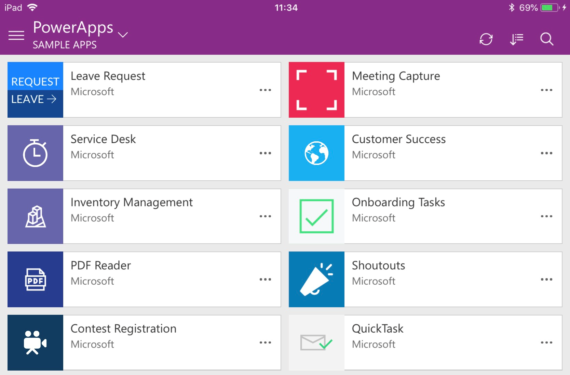
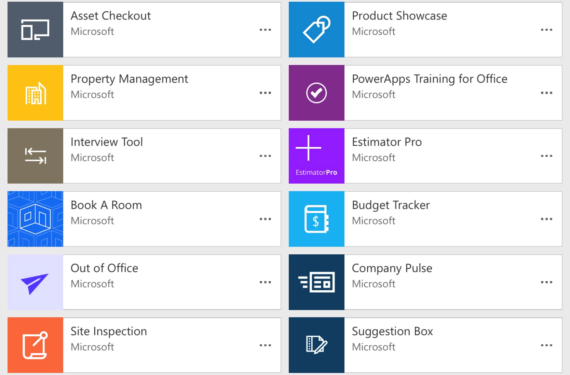
Let’s take a closer look at the “Out of Office” example. This is a very simple app to create.
The app helps generate automated content for out-of-office emails. Among other things, it can be used to establish a company standard for OoO messages. Unlike automatic replies in Outlook, notifications can also be set up in advance of an absence. This gives colleagues the opportunity to respond to the planned absence and discuss important matters beforehand.
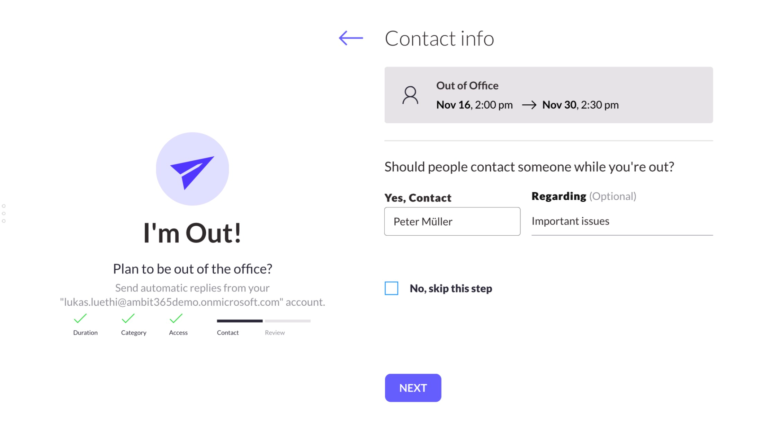
The input form guides the user through the various options relevant for the details of the out-of-office message. The following can be specified:
The complete message is then presented in a summary:
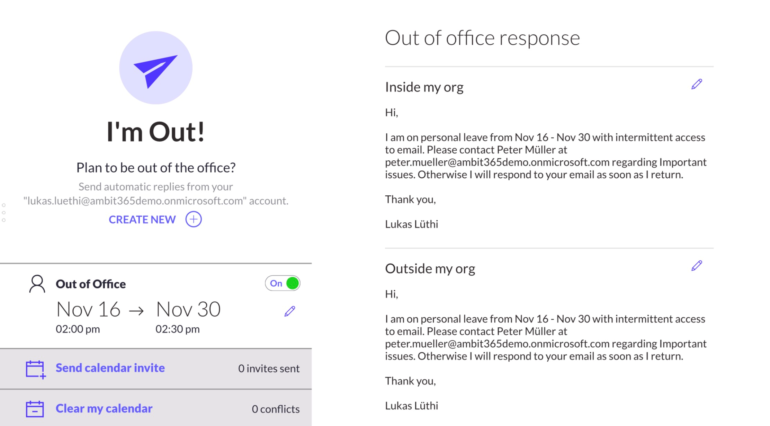
Power Apps can also be connected with each other. For example, a vacation request can be submitted to a manager using the “Leave Request” app, which—once approved—can automatically trigger the Out of Office workflow.

andri.fabig@!ambit-group.com
+41 52 268 91 22

